As a dedicated supplier of Jewelry 3D Printers, I’ve witnessed firsthand the transformative power of this technology in the jewelry industry. 3D printing has revolutionized jewelry design and production, allowing for intricate and customized creations that were once unimaginable. However, with this technological advancement comes the responsibility of handling waste materials effectively. In this blog, I’ll share my insights on how to handle waste materials from a Jewelry 3D Printer, drawing from my experience as a supplier and my knowledge of the industry. Jewelry 3D Printer
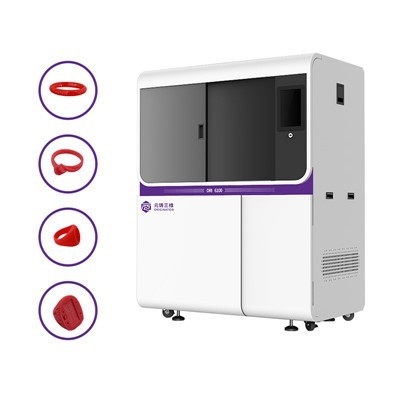
Understanding the Types of Waste Materials
Before delving into the handling methods, it’s crucial to understand the types of waste materials generated by Jewelry 3D Printers. These printers typically use resin-based materials, which can produce several types of waste:
- Uncured Resin: During the printing process, not all resin is cured by the UV light. This uncured resin remains in the resin tank and on the printed objects.
- Support Structures: To support overhangs and complex geometries, support structures are printed along with the jewelry piece. These supports need to be removed after printing, resulting in waste.
- Failed Prints: Sometimes, prints may fail due to various reasons such as incorrect settings, hardware issues, or contamination. Failed prints also contribute to waste.
- Resin Tanks and Stirrers: Over time, resin tanks and stirrers can become contaminated with cured resin and other debris, requiring replacement.
Safe Handling of Uncured Resin
Uncured resin is one of the most significant waste materials from Jewelry 3D Printers. It’s important to handle it safely to prevent skin contact, inhalation, and environmental contamination. Here are some best practices:
- Wear Protective Gear: Always wear nitrile gloves, safety goggles, and a lab coat when handling uncured resin. These items provide a barrier between your skin and the resin, reducing the risk of irritation or allergic reactions.
- Use a Well-Ventilated Area: Uncured resin can emit fumes that are harmful if inhaled. Work in a well-ventilated area, preferably with a fume hood or an exhaust fan. This helps to remove the fumes from the workspace and protect your health.
- Store Resin Properly: Store uncured resin in a cool, dry place away from direct sunlight. Keep the resin containers tightly closed to prevent evaporation and contamination.
- Dispose of Uncured Resin Safely: Do not pour uncured resin down the drain or into the trash. Instead, follow the manufacturer’s instructions for proper disposal. In some cases, you may be able to cure the resin and dispose of it as solid waste. In other cases, you may need to contact a hazardous waste disposal company.
Recycling and Reusing Support Structures
Support structures are an inevitable part of 3D printing, but they don’t have to go to waste. Here are some ways to recycle and reuse support structures:
- Cure and Reuse: After removing the support structures from the printed object, you can cure them using a UV light source. Once cured, the support structures become solid and can be reused as filler material in future prints.
- Crush and Mix: Another option is to crush the cured support structures into small pieces and mix them with new resin. This can help to reduce the amount of new resin needed for each print and lower the overall cost of production.
- Donate or Sell: If you have a large quantity of cured support structures, you may be able to donate them to a local school or maker space. Alternatively, you could sell them to other jewelry makers who are looking for a cost-effective way to fill their prints.
Dealing with Failed Prints
Failed prints can be frustrating, but they also present an opportunity to learn and improve your printing process. Here’s how to handle failed prints:
- Analyze the Cause: Take the time to analyze the cause of the failed print. Was it due to incorrect settings, hardware issues, or contamination? By understanding the cause, you can take steps to prevent similar failures in the future.
- Recycle or Reuse: If the failed print is made of resin, you can try to recycle it. Depending on the type of resin, you may be able to dissolve it in a solvent and reuse the material. However, not all resins are recyclable, so it’s important to check with the manufacturer before attempting to recycle.
- Learn from Your Mistakes: Use failed prints as a learning opportunity to improve your skills and knowledge of 3D printing. Keep a record of the failures and the steps you took to address them. This can help you to identify patterns and make adjustments to your printing process.
Disposing of Resin Tanks and Stirrers
Resin tanks and stirrers can become contaminated with cured resin and other debris over time. When this happens, they need to be replaced. Here’s how to dispose of them safely:
- Cure the Resin: Before disposing of the resin tank or stirrer, make sure to cure any remaining resin. This can be done by exposing the tank or stirrer to UV light for a few hours.
- Clean the Tank and Stirrer: Once the resin is cured, clean the tank and stirrer with a suitable solvent. This will help to remove any remaining resin and debris.
- Dispose of the Tank and Stirrer: After cleaning, dispose of the resin tank and stirrer according to local regulations. In most cases, they can be disposed of as solid waste.
Implementing a Waste Management Strategy
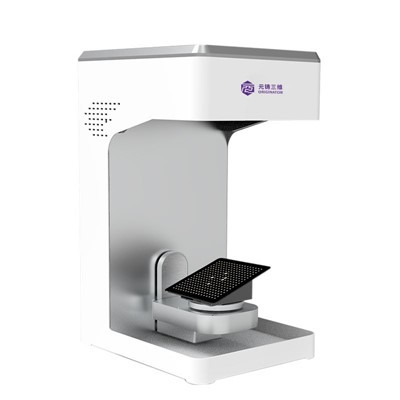
To effectively handle waste materials from Jewelry 3D Printers, it’s important to implement a waste management strategy. Here are some steps you can take:
- Educate Your Staff: Make sure your staff is trained on the proper handling and disposal of waste materials. Provide them with the necessary safety equipment and ensure they understand the potential hazards associated with uncured resin.
- Establish a Waste Collection System: Set up a system for collecting and storing waste materials. This could include separate containers for uncured resin, cured resin, support structures, and failed prints.
- Monitor Waste Generation: Keep track of the amount of waste generated by your Jewelry 3D Printers. This will help you to identify areas where you can reduce waste and improve your efficiency.
- Work with a Recycling Company: Consider working with a recycling company that specializes in 3D printing waste. They can help you to recycle and reuse as much of your waste as possible, reducing your environmental impact.
Conclusion
3D Printing Wax Material Handling waste materials from Jewelry 3D Printers is an important aspect of responsible manufacturing. By understanding the types of waste materials generated, implementing safe handling practices, and recycling and reusing as much as possible, you can reduce your environmental impact and save money on materials. As a Jewelry 3D Printer supplier, I’m committed to helping my customers find sustainable solutions for their waste management needs. If you’re interested in learning more about our products or discussing your waste management strategy, please don’t hesitate to contact me. I’d be happy to help you find the right solution for your business.
References
- ASTM International. (2021). Standard Guide for Safe Handling of Additive Manufacturing Materials. ASTM F42.
- International Solid Freeform Fabrication Symposium. (2020). Proceedings of the Annual International Solid Freeform Fabrication Symposium.
- Wohlers Associates. (2021). Wohlers Report 2021: 3D Printing and Additive Manufacturing State of the Industry.
Hangzhou Originator 3D Technology Co., Ltd.
Hangzhou Originator 3D Technology Co., Ltd. is one of the most experienced jewelry 3d printer manufacturers and suppliers in China. With abundant experience, we warmly welcome you to wholesale high quality jewelry 3d printer made in China here from our factory. Contact us for more details.
Address: Room 403, Building 2, Block B, Heda Incubation Park,No. 452, 6th Avenue, Xiasha, Qiantang District,Hangzhou, Zhejiang, China
E-mail: Sales@originator3d.com
WebSite: https://www.originator3d.com/
